
Skip to content

NewThe Professional Diploma in AI is here.Join the January class

View all workshops
ICE Campus Workshops

AI Productivity

Get AI-confident in 6 hours. Whatever your role, AI can make you more productive, creative and strategic. Learn to write prompts that work, set up your own AI workspace and leave ready to use AI at work the very next day.

Tools used

Tools you'll use: ChatGPT, Copilot, Claude, Lovable, Gemini, Midjourney

Date
Thu 28 Jan & Thu 4 Feb 20279AM till 12PM (Malta Time)
Duration
6 hours2 sessions of 3 hours
Format
Online liveChatGPT Plus or Pro neededBring your own ChatGPT Plus or Pro account. You'll use it hands-on in every session, so have it ready before day one.
Price
Was €345, now €295Launch price, limited seats

Training a team?We run private workshops on dates that suit you.

ICE Campus learners work at mita, SiGMA, Betsson Group, MeDirect, Tipico, PwC, Casumo, HILI Company, 9H Digital, Deloitte, APS Bank, Evolution, GO, LeoVegas, FIAU, Lo & Behold

Get unstuck from the basics

You've probably played around with ChatGPT for an email or a quick summary. Now it's time to feel confident with it. Get inspired, build AI habits that stick and see what AI can do for your work and life.

6 hours · Online live · Workshop

Live teaching, hands-on practice and real-time Q&A.

4.8(27k+)out of 5 starsTrusted by 27,000+ learners
  • A method that works anywhereUse CRAFT to get consistent results from any AI tool.
  • Your own AI assistantSet up a workspace around a real task, and use it the very next morning.
  • Safe by defaultKnow what should and shouldn't go into AI, and how to catch an answer it made up.
  • Beyond the chat boxSee agents, scheduled tasks and AI apps turn one instruction into finished work.
  • Your first AI win, plannedLeave with a one-page plan to spot, test and scale one task at work.
  • Your AI toolkitProven frameworks and a prompt library to reuse on any task.
  • Watch the sessions againUse the included recordings to revisit the sessions after the live workshop.
  • Notes and presentationsKeep the course notes and presentations, and the prompts you write in class.
  • Certificate of completionShow your new skills with a certificate from ICE Campus.

What you'll learn

Beginner-friendly and a great fit for everyone. Go beyond one-off tips and tricks, make AI part of your day-to-day, and start using it on problems big and small, for you, your team and your career.

7 topics · 6 hours

  1. 01Intro to Generative AI
    • How AI Works & What's Worth KnowingFrom rule-based systems to today's reasoning models: how generative AI actually works, where it came from, and which platforms and trends are worth paying attention to right now.
    • Baseline Prompt ChallengeBefore any techniques are introduced, write a prompt for a task you tackle every week, and see what your current AI instincts look like.
    • Hands-on: Baseline Prompt Challenge
    • Privacy & AIAddressing copyright concerns, personal privacy and organisational confidentiality, including an overview of which tools are private by default, and which aren't.
  2. 02Writing High-Quality Prompts
    • Prompting FrameworkLearn how the CRAFT framework can create structured and repeatable instructions to write prompts that get consistent, high-quality results.
    • Prompt IterationsRefining and building on AI responses through follow-up prompts, adjusting parameters, and learning to steer a conversation towards the output you actually need.
    • Advanced Prompting TechniquesMove beyond basic instructions with techniques like few-shot prompting and reverse-engineering to get more precise, consistent, and professional results from every prompt.
    • Prompt Remix: Apply the CRAFT FrameworkRevisit the prompt you wrote in Module 1 and rebuild it using CRAFT. Run both versions through the prompt scoring tool to get a side-by-side rating comparison.
    • Hands-on: Prompt Remix using CRAFT and Prompt Score
    • Verifying Results & Spotting HallucinationsIdentifying incorrect or fabricated output, understanding why hallucinations happen, and building guardrails into your prompts to minimise them.
  3. 03Getting Productive with AI
    • Build Your Prompt LibraryLearn how to capture, organise, and share high-performing prompts so your team stops reinventing from scratch and every good result becomes a reusable asset.
    • Customising & Extending Your AIHow to configure AI for specific roles, teams or use cases using projects and saved workspaces, extend its capabilities with skills for repeatable workflows, all without writing a single line of code.
    • Hands-on: Build your first AI Assistant
    • Agentic AI: From Prompts to Automated WorkflowsIntegrate your model with your existing tools (via MCPs) and learn how to build an agentic workflow to complete a multi-step repeatable task from a single instruction, demonstrating how agents plan, reason, use tools, and deliver a finished output, and where human oversight still matters. Learn how to set up scheduled tasks so recurring workflows (daily briefings, status checks, digests) run automatically without you having to prompt them each time.
    • Sites/ArtifactsLearn how to turn an idea into an interactive app that's hosted for you, shared with a link and improved just by chatting. Build pages that pull fresh data each time they're opened (a project tracker, a weekly metrics report, an onboarding tool), so recurring questions become a page you check rather than a prompt you repeat. Connect your business applications and ask questions about your data in plain language. Then turn the answers into an interactive dashboard you can keep checking, or a short animated explainer you can present to your team. Keep every output on-brand by applying a shared design system.
    • Docs/Slides/SheetsLearn how to go from a prompt and your source material to a finished document, presentation or spreadsheet without leaving the chat. Start from your own notes, files or an existing template, refine the result by pointing at the part you want changed, and export it as a Word, PowerPoint or Excel file (or straight into Google Workspace) when it's ready to send.
  4. 04AI in Your Productivity Suite

    Two of these apps are demonstrated live, and the rest are covered in your course materials.

    • Overview of AI-Integrated Office & Productivity PlatformsHow AI has been embedded into modern office suites, what that means for everyday work, and how to activate and navigate AI features.
    • AI for Document Creation & EditingSummarising long documents, generating content, reformatting text as tables, cross-referencing sources, and improving writing style and clarity.
    • AI for Email ManagementSummarising email threads, drafting replies, improving tone, and using AI to manage high-volume inboxes more efficiently.
    • AI for PresentationsGenerating slide content from existing documents, adding AI-generated visuals and animations, and producing speaker notes automatically.
    • AI for Spreadsheets & Data AnalysisTransforming raw data into structured tables, generating pivot summaries, identifying trends, and suggesting appropriate charts and visualisations.
    • AI for Meetings & CollaborationGenerating meeting summaries and action items, catching up on missed discussions, and using AI to improve communication across distributed teams.
    • AI Across Browser & Web WorkflowsUsing AI assistants within the browser to summarise web content, draft responses, and assist with research and writing tasks on the go.
  5. 05Creative & Technical AI at Work
    • Image GenerationExplore AI-driven image generation by comparing outputs from tools like Gemini and Midjourney.
    • Vibe Coding & AI-Assisted CodingLearn what vibe coding is and how it lets non-technical team members build functional tools using simple, conversational prompts.
  6. 06Lab: Applied AI in Practice

    A structured sprint that brings the full course together. Apply the concepts learnt throughout this course for a real task. Write structured prompts using the CRAFT framework and configure a workspace built around your chosen task. You leave with something that actually works.

    • Stage 1: Define Your Use CaseChoose one of the provided challenge scenarios. Each one maps to a common task type across popular roles. Write a structured prompt for it using the CRAFT framework.
    • Stage 2: Build Your AI WorkspaceConfigure a personalised AI workspace around your chosen task: write a system prompt, upload a relevant document, and create a project. Test it, refine the prompt, and get it working.
    • Stage 3: Share & ReflectDemonstrate your result to the group: what you built, what surprised you, and what you'd do differently.
  7. 07The AI Adoption Playbook

    Learn how to take what you've built and turn it into a real implementation your team can use. The STS model maps three stages: Spot a task, Test it in a focused two-week pilot, and Scale what works across your team. That way, AI adoption starts with one clear win and grows from there. Apply STS to your own team context and leave with a one-page plan you can put into action.

Learn from someone who does this every day

  • Sabrina Micallef

    Sabrina Micallef

    AI Certified by Microsoft, Anthropic and OpenAI

    Sabrina is always experimenting, building and shipping with AI, across industries and roles. She brings what works straight into class, and has trained teams across Malta to do the same.

Made for every role

AI is changing how work gets done in every team. If your day runs on email, documents, meetings or data, this workshop is for you.
  • Everyone, beginners included

    No experience needed: we start from scratch. Done AI for All? This is your next step.

  • Managers and team leads

    Move your team from scattered experiments to one shared way of working, with a plan to pilot it.

  • Product and project managers

    Draft specs and reports, summarise research, and build a live project tracker from a chat.

  • Designers and creatives

    Compare AI image tools such as Gemini and Midjourney, and keep every output on-brand.

  • Marketing and communications

    Draft posts, emails and campaign copy, and sharpen their tone and clarity.

  • Sales and customer teams

    Draft proposals and replies in your own voice, ready to check and send.

  • Finance, HR and operations

    Make sense of data, policies and processes, and know what should stay out of AI.

  • Office and admin professionals

    Hand emails, meeting notes and long documents to AI, and get time back in your week.

  • Teachers and trainers

    Turn your notes into slides, handouts and documents, ready to edit and share.

  • Business owners and freelancers

    Do more without a bigger team: AI drafts, researches and plans while you decide.

  • Students and graduates

    Learn to use AI well and responsibly, and walk into your first role ready.

  • Career changers and job seekers

    Add a practical AI skill to your CV, with a certificate of completion to show for it.

What you need: a laptop or desktop with a web browser · a paid ChatGPT Plus or Pro subscription · no prior AI, technical or coding experience needed

What learners say

Real words from AI Productivity learners and the teams ICE Campus has trained.
  • "AI training empowered our teams to confidently embrace AI's potential and drive real strategic results."

    ChrisChief Technology Officer, MeDirect
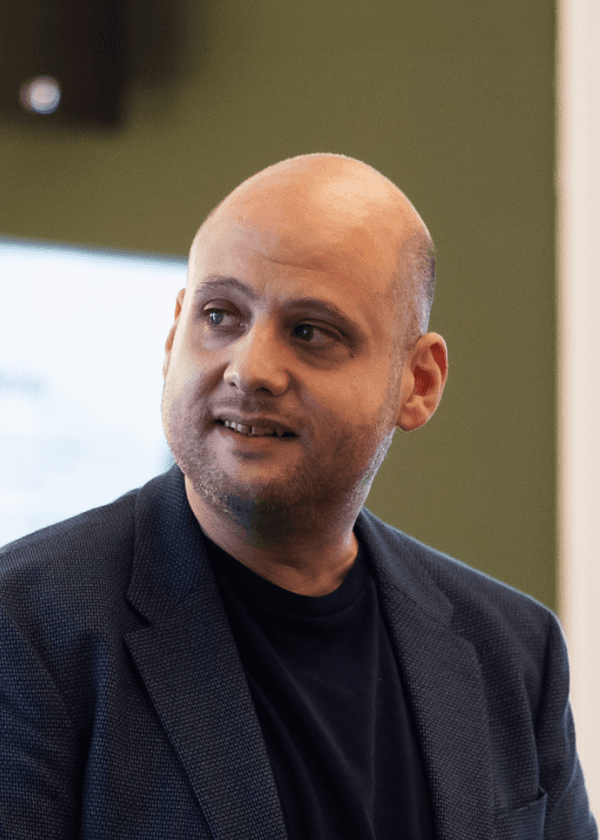
  • "A truly great training ... Will thoroughly change the way I run things in the office."

    Chantal G.

  • "Very insightful and impeccably delivered!"

    Roderick A.

  • "Very helpful to understand more about Claude AI to create prompts and help with daily use"

    Luana B.

  • "Great, clear and friendly"

    Daniel C.

  • "Good presenter. Good material."

    Ray M.

  • "Probably the best course I've ever attended! Fantastic, engaging, excellent."

    Andre

  • "Practical, professional, detailed and hands-on."

    Charlemagne

  • "Working with ICE gave us access to high-quality, customised training in AI, with a strong practical component we could readily apply to our work."

    NatalieHead of HR, San Anton School

  • "Sabrina is a talented educator with experience using several apps and AI tools"

    Mark B.

  • "This was the first time I attended a course on AI and it was delivered very well and any challenges I met were tackled."

    Maria S.

  • "I got to know about more tools that I can use for my Financial Analysis and Reports"

    Penelope C.

  • "Very informative and interesting"

    Carlos A.

  • "I hadn't been studying for a while so I was a bit scared to start studying again however, after this course I feel confident and can't wait to keep on learning."

    Tanya

  • "The quality of the tutors was exceptional. Every expert brought something different, and together they made the whole experience feel really special."

    GaylMarketing Manager, Prohealth

  • "Learning made fun and easy with interactive workshops and case-studies."

    Michele A.

  • "Very thankful for Sabrina, being patient with me and kind"

    Elnaz G.

  • "Great up to date content and I learnt new tools I'll use so thank you!"

    Daphne G.

  • "It was very well explained and user friendly."

    Marvic S.

  • "I'm already applying a lot of the content I have learnt at work! Fantastic experience."

    Matthew

  • "Highly recommended! I really enjoyed the lessons especially because they're hands-on and fun!"

    Charlene

Pricing

Coming with others? Book your seats together and learn side by side.

Launch price, limited seats

Individual seat

For you, on the next dates.

Was €345, now €295per person

Enrol now
  • Thu 28 Jan & Thu 4 Feb 2027 · 9AM till 12PM

Everything included

  • Six hours of live, hands-on teaching
  • Your own AI assistant, built in class
  • Session recordings to watch again
  • Notes, slides and frameworks to keep
  • Help from our student support team
  • Certificate of completion

Team of 3+

For groups learning together.

€295per seat

Enrol now

Same dates, same workshop

Everything in a seat, plus

  • Preferred pricing when you grow together
  • Choose 3 or more seats at checkout

Training a whole team? Book a private workshop on your own dates

Can't make these dates?

Get an email when the next workshops are announced.

FAQs

Everything you need to know about the workshop. Can't find your answer? Speak to an advisor.
Speak to an expert on WhatsApp
  • No. The workshop starts with how AI works and builds from there. If you already use AI, you learn a method that makes your results more consistent. No AI, technical or coding experience is needed.

  • The methods work in any AI assistant, including ChatGPT, Claude, Microsoft Copilot and Gemini. You also see AI inside everyday office apps, and image tools such as Gemini and Midjourney.

  • Yes. You need a paid ChatGPT Plus or Pro subscription on your own account. You use it live in class, so have it set up before the first session.

  • No. AI for All is Malta's free introduction to AI and a good first step if you want one. This workshop is the practical next step: you learn live with an expert, practise on your own work and leave with your own AI setup. You can join either way.

  • CRAFT is a structured way to write prompts so you get consistent, high-quality results from any AI tool. You use it on a prompt of your own, then score the old and new versions side by side.

  • Your own AI assistant, set up around a real task with a system prompt, a document and a project, plus a prompt library you can reuse and a one-page plan for your first AI pilot.

  • The workshop covers privacy, copyright and confidentiality: which tools are private by default, which aren't, and what should and shouldn't go into AI at work.

  • Yes. You see how agents plan and complete multi-step tasks, how to connect AI to your tools with MCP, and how to set up scheduled tasks such as a daily briefing that runs on its own.

  • It is 6 hours of live online teaching. You need a laptop or desktop computer with an up-to-date web browser and a paid ChatGPT Plus or Pro subscription.

  • Yes. We run private sessions for teams on dates that suit you. Send us an enquiry and an advisor will get back to you with a quote.

  • Yes. You receive an ICE Campus certificate of completion, which you can add to your CV and share on LinkedIn.

  • Yes. Send an enquiry from this page or message an advisor on WhatsApp, and we will help you decide whether the workshop is right for you.

Other workshops you might like

View all
  • Live workshop· 6 hoursDec10

    AI Agents & Workflow Automation

    Go from asking AI for answers to handing it real work. In one hands-on day you build two AI agents in n8n that read customer enquiries, look up live order and policy details, and draft replies for you to approve, without writing code.

    Online live · 6 hoursNew

  • Live workshop· 6 hoursDec7

    Build & Launch Websites with AI

    Learn by doing, live with an industry expert, so you don't have to figure it out alone. No coding experience needed.

    Online live · 6 hoursNew
Request more infoEnrol now